I’ll walk you through how to start using SillyTavern with cloud AI models like DeepSeek and GLM, or services like OpenRouter, NanoGPT, and Hapuppy.
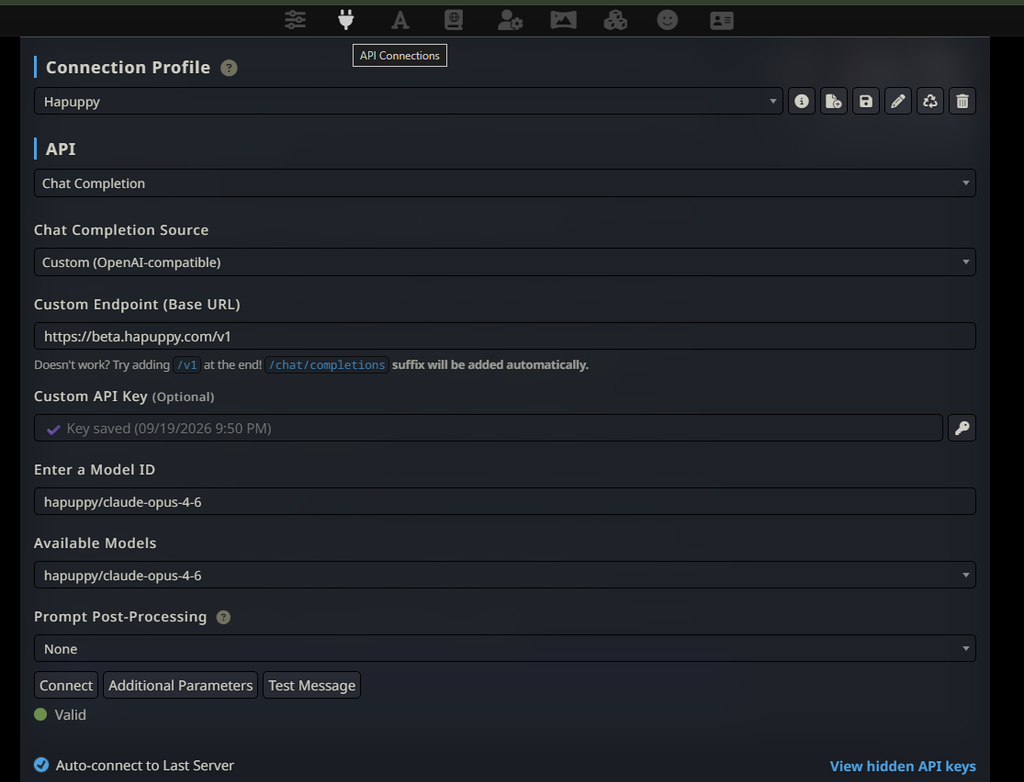
First, you’ll need API access key from your cloud AI provider. Depending on the provider, this may be free or require a paid plan or credits.
In SillyTavern, click the second icon from the left at the top of the page, called API Connections.
Under API, choose Chat Completion.
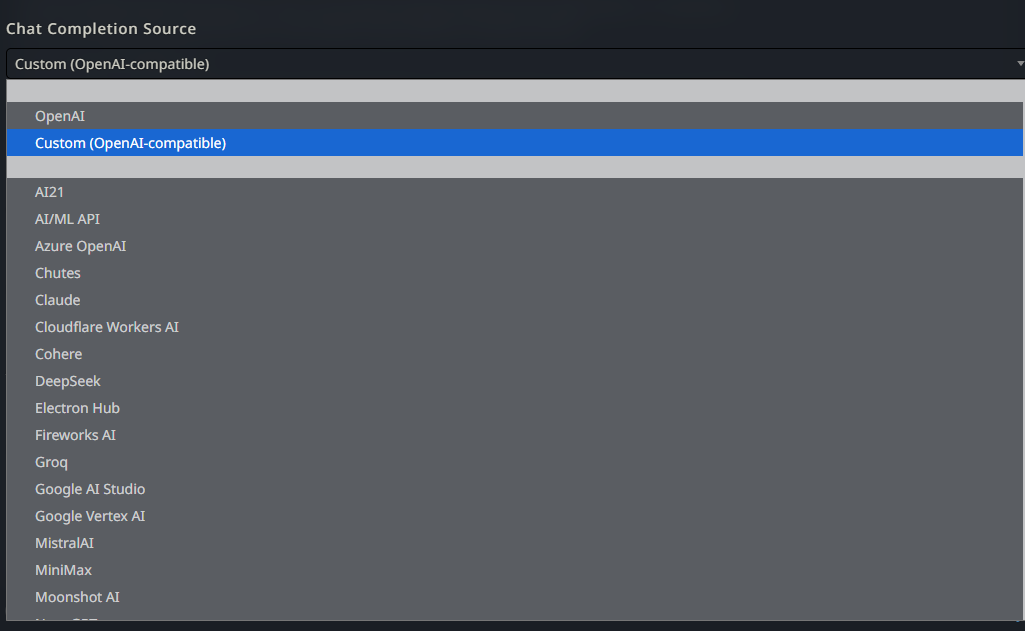
Under Chat Completion Source, select your provider from the list. If yours isn’t listed, choose Custom (OpenAI-compatible).
Then, paste the API key you created with your provider into the Custom API Key box.
After that, enter the API endpoint your provider gives you. In this example, Hapuppy uses http://beta.hapuppy.com/v1, while DeepSeek uses https://api.deepseek.com.
Click Connect to load the available models from your provider. Once the list loads, choose a model under Available Models, then click Test Message to check the connection.
If you get a green notification, you’re ready to roleplay.